Tina Webster has shared a great tech tools video! It describes 7 free online sites that support literacy instruction: Subtext, ActivelyLearn, EtherPad, HemingwayApp, StoryBird, GotBrainy, and Newsela. We have previously highlighted two of those sites on this blog. (I linked you to those again.) The blog and video provide more ideas and support for both students and teachers.
Click Here>>Please take some time to read and hear more about these resources.
Showing posts with label literacy. Show all posts
Showing posts with label literacy. Show all posts
Thursday, March 12, 2015

Monday, April 28, 2014
Actively Learn
Actively Learn is an online e-reader that allows students to
interact with text in a unique way. Teachers can upload texts from PDF files
and websites and insert questions, comments, and multimedia. Students can work
through the text at their own pace, get help when they need it, and share their
ideas with other students. Watch the video below to take a quick walk-through
of the site.
Pros
·
It’s 100% FREE!
·
The kids love it.
·
Kids can see and respond to other peoples’
posts.
·
Inserting videos and pictures is super easy and
adds a lot to the text.
·
You can assign different texts to different
classes. If you wanted small groups you could easily create “classes” with just
a portion of your students. (Just your AIG students, one literature circle
group, etc.)
·
Kids can sign up easily using their ACS Google
accounts and a class code or link. If they use Chrome and log into their Google
account, they are automatically logged in to Actively Learn. I use a couple
different websites with my kids that they have to sign up for, and this one is
BY FAR the simplest.
Cons
·
Uploading a file can sometimes be tricky. Some
PDFs don’t load or look right. Sometimes links, comments, or captions on
websites end up included in the text. Occasionally I’ve had to upload a text
multiple times in a few different ways before it really worked right.
·
Once you upload a file, there is no way to edit
the text or things like the title.
·
The site can be a little buggy at times. It
occasionally freezes up or doesn’t load. Refreshing the page usually fixes it.
·
There are no alerts or anything to let kids know
they haven’t finished an assignment.
Submitted by guest blogger,
Carlie Abercrombie
7th Grade ELA Teacher at North Asheboro Middle
Sunday, March 30, 2014
Reading and Discussing Are Perfect Partners
Although it has officially been spring for several days, we are just beginning to thaw from our challenging winter. As we come out from the cold, hopefully there is a sense of rejuvenation emerging, too. Here is a challenge to coincide with your renewal: INCREASE THE AMOUNT OF STUDENT ACADEMIC CONVERSATION IN YOUR CLASS!

I know that several of you have embraced the idea of students doing close reads. Student discussion and writing have to be a part of the mix. At the January mini-conference, I shared 40 Ways to Read Text, which was compiled by the ELA section of NCDPI. I put the strategies together in a LiveBinder for ease of use. Start out tacking speaking and listening skills by studying cards #10-15; they contain simple discussion and questioning strategies. You will find that they are great for different grade levels and pretty much any content area.
40 Ways to Read Like a Detective: Supporting Text–Centered Inst
Email me if you would like to co-plan or collaborate using these resources!
~Chandra
Email me if you would like to co-plan or collaborate using these resources!
~Chandra
Monday, March 17, 2014
NowComment
Many of us know how to use Google Docs for online annotation. It works, but there is an even better tool: NowComment.

Here is a video on the basics:
~Chandra
Here is a video on the basics:
Some advantages of NowComment over other annotating sites:
- Two panes scroll independently, allowing better focus on flow of text, video, images, and comments.
- Annotations always appear to the right of text, never blocking the text.
- Teacher options control precise access dates when the text can be read, and when comments can be added. The same time controls can be used to hide classmates' comments from individual students until a specified time; thus, students in the first round of annotation will not be able to simply parrot the comments of peers, nor will they be swayed by what anyone else has said.
- Comments can be sorted by user which allows for easy assessment, or for students to the locate the responses of select peers.
- Notification options can be customized, allowing you to schedule the "feed" from the site, and "Update" lets you stay informed of every single comment that is added.
- In addition to the two-pane view, a combined view aggregates both panes into a narrative timeline, easily allowing you to note which lines and paragraphs receive the most annotation.
- The number of simultaneous viewers/annotators doesn't seem to be an issue; according to the site, over one hundred users have accessed the same document concurrently without a problem.
Some uses for NowComment:
- Students can upload their own writing to engage peers in discussion. Microsoft Word works extremely well in the interface.
- Many classic works of literature are now available in the public domain online at sites such as Project Gutenberg, providing teachers a huge list of texts. Mashable also has some online texts.
- NowComment is especially useful for leaving responses regarding images and videos.
~Chandra
Tuesday, January 7, 2014
To Infinity...and Beyond (Google)
There is a lot of information out
there…..both authoritative as well as junk.
Students often need help in muddling through the plethora of information
available. The following search engines
are credible alternatives to standard Google, the largest search engine on the
planet.
A public service organization and learning/teaching
environment that is maintained by students and volunteer library and
information science professionals. This
site is hosted by Drexel University’s College of Information Science and
Technology.

Every website in SweetSearch has been evaluated by research
experts.

Google Scholar provides a simple way to broadly search for
scholarly literature.

Web search engine for students and researchers that aims to
make academic information easily accessible to everyone. RefSeek searches more than one billion
documents, including web pages, books, encyclopedias, journals, and newspapers.

Happy Researching!
Laura Holland
AHS Media Specialist
AHS Literacy Team Member
Monday, December 16, 2013
Close Reading Bookmarks
We are almost halfway through the 2013-2014 school year. I have had an opportunity to address close reading in professional development with different pockets of people. I hope that the second semester brings more people into understanding and implementing close reading, which literacy expert Dr. Douglas Fisher calls a careful, purposeful rereading of a text.

Here is a gift to help with your reading instruction:
(Image of the close reading bookmark. Use the link above to get a printable copy.)

Monday, December 2, 2013
Graphic Organizers for Reading Strategies
Several people have provided good feedback on www.newsela.com, the leveled news articles website I shared a couple of weeks ago. Please share how your are using it in your classrooms. Let's get stronger by learning from each other.
Lee Wright, 7th grade science teacher at SAMS, recently emailed me this site with several graphic organizers: http://pacehighschool.net/Documents/GraphicOrganizersforReading.pdf . She is working hard to have appropriate resources to support literacy in her classroom. Lee was excited for me to share with all of you, so please thank her for the resource!
Lee Wright, 7th grade science teacher at SAMS, recently emailed me this site with several graphic organizers: http://pacehighschool.net/Documents/GraphicOrganizersforReading.pdf . She is working hard to have appropriate resources to support literacy in her classroom. Lee was excited for me to share with all of you, so please thank her for the resource!
Wednesday, November 13, 2013
News You Can Use
A few weeks ago, I stumbled across newsela.com. Currently in beta and free, this site posts news articles appropriate for K-12 students. I know how many of you have been searching for nonfiction articles to fit your content area, so this is a gold mine! The categories for the articles are War & Peace, Science, Kids, Money, Law, Health, and Art. Here is the neatest feature: for every article, there are versions written in different Lexile levels! I have not played around with the classroom function, but it looks like teachers can also create "classes", register individual students (no student emails required), and assign articles. Some articles have brief comprehension quizzes. Even if you do not use all those features, it is best to register for the free account.
Below is a screenshot of a newsela.com article at an 1170 Lexile. Note the blue bar on the right side. When on the actual site, you can simply click on a level and the article adapts in seconds to match the the Lexile you have selected. If you prefer hardcopy versions, the printer icon is also located in that blue bar. As you can see beneath the title, the text was originally in the Los Angeles Times, but has been adapted by the Newsela staff.

Here is the same section of the article, but with a 720 Lexile.

I shared this with a some teachers and the feedback has been good. NAMS sixth grade teacher, Michelle Marsh, mentioned it in an email to me yesterday, which prompted me to share with everyone via the blog. The site adds about three articles daily, so the material is pretty up to date. I hope more people check it out soon for text sets, Socratic Seminars, summarizing practice, and more...it may not be free forever!
Chandra
Below is a screenshot of a newsela.com article at an 1170 Lexile. Note the blue bar on the right side. When on the actual site, you can simply click on a level and the article adapts in seconds to match the the Lexile you have selected. If you prefer hardcopy versions, the printer icon is also located in that blue bar. As you can see beneath the title, the text was originally in the Los Angeles Times, but has been adapted by the Newsela staff.

Here is the same section of the article, but with a 720 Lexile.

I shared this with a some teachers and the feedback has been good. NAMS sixth grade teacher, Michelle Marsh, mentioned it in an email to me yesterday, which prompted me to share with everyone via the blog. The site adds about three articles daily, so the material is pretty up to date. I hope more people check it out soon for text sets, Socratic Seminars, summarizing practice, and more...it may not be free forever!
Chandra
Monday, September 16, 2013
The Basics of Turn and Talk
One of the goals of the Common Core State Standards writers was to build natural collaboration among students. "Turn and talk" opportunities are imperative in all classrooms. Peer conversations give students an active role in learning. It enables students to take their thinking and articulate it into words, which allows their brains to build and make connections that would typically not occur. Also, the listening component allows students to hear the thinking of their peers, which helps them to clarify their own thoughts.
Here are 5 steps that will help to ensure that effective buddy talking is occurring in your classroom:
NS632.GR12.Taubman.Reading.Turn and Talk from Uncommon Schools on Vimeo.
Here are some things to note from the video:
Here are 5 steps that will help to ensure that effective buddy talking is occurring in your classroom:
- Plan: Write questions ahead of time to ensure that they are higher level and build on one another.
- Pose: Have students sit knee to knee so they can see eye to eye. Also give students indicators of who's talking first.
- Wait: Students need 10-15 seconds, or more, to formulate an answer. During the wait time, repeat the question, as well as provide supporting quesitons and scaffolds where appropriate.
- Monitor & Feedback: The teacher should be listening to students as they are responding to check for understanding. This is also a time to identify students whose thinking will benefit the entire group.
- WRITE!: In the final steps, students should have an opportunity to solidify their understanding by piecing together their original thoughts with their new understanding from the turn and talk session through written expression.
Here is a clip of Turn and Talk in action.
NS632.GR12.Taubman.Reading.Turn and Talk from Uncommon Schools on Vimeo.
Here are some things to note from the video:
- Discussion is not about the obvious. Students are responding to a rigorous prompt.
- This discussion is not an ending point, but it is a starting point for their lesson. This discussion leads somewhere.
I will add more to supplement this topic of accountable talk in future posts.
~Chandra
Monday, August 12, 2013
ExC-ELL
Have you ever heard of ExC-ELL? Is your first thought of spreadsheets? Well, that is Microsoft's Excel. ExC-ELL stands for Expediting Comprehension for English Language Learners. It is a research-based literacy model developed by Dr. Margarita Calderon that is funded by the Carnegie Corporation and the US Department of Education. I, along with Dubraska Stines (ESL Lead Teacher) and almost 20 other ACS teachers, attended ExC-ELL training, sponsored by NCDPI, in Charlotte, NC, August 5-7. All of the teachers were charged with coming back to our district to share ExC-ELL strategies which help students access the text with the use of vocabulary, reading, and writing tasks. Although ExC-ELL was designed to help English Language Learners, the work can help any student to improve their reading in various content disciplines.

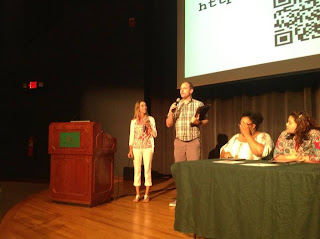
We have a great team of teachers who are willing to share. We hope to be able to snag some dedicated PD time during the year, but if you have a particular interest and would like to start the year off with new learning, contact a team member. Matt Edwards and Chandra Collins, both from NAMS, implemented it in their classes last year and have completed advanced training. They are great contacts! (Check us out presenting during the closing session on Day 3.)

Chandra M., Dubraska, and Betsy
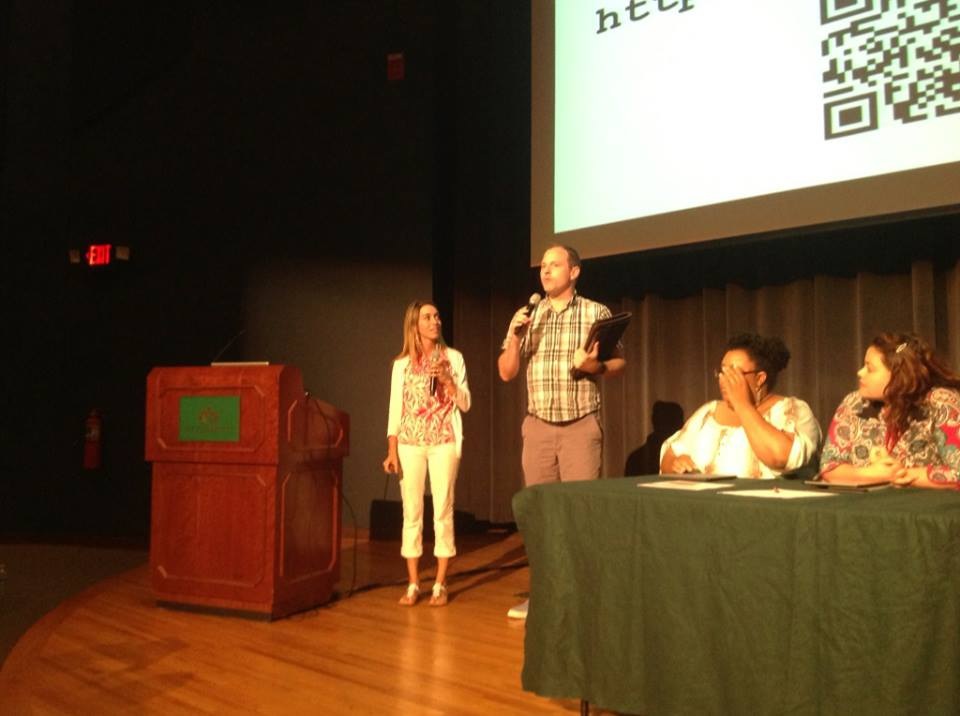
Chandra C., Matt, Chandra M. and Dubraska
Wednesday, June 26, 2013
Smore Reading Tips for Parents
Smore* is a Web 2.0 tool for creating and publishing web-based flyers. I have created one with reading tips for parents of middle school students. Be sure to scroll through for all the information, including an Animoto video. Please share this flyer or Animoto by adding a link to your Edmodo, wiki, Google site, or letter home.
*If you would like any help with Smore or Animoto, please let me know; I will be happy to assist.
*If you would like any help with Smore or Animoto, please let me know; I will be happy to assist.
Sunday, April 28, 2013
Text Features
Whether you teach English/Language Arts or Health Occupations, your students need to understand informational text features. I discovered this lesson on the web (courtesy of Milton High School in Milton, FL). It has some great resources to teach text features.
Introduction to Text Features
(PPT with Cornell Notes Guide)
Introduction to Text Features
(PPT with Cornell Notes Guide)
Text Features Presentation from mrsweeks
Click here for Cornell Notes to match presentation.
Video Clip
Review
Text Features in the Real Word PPT
Application
Text Features Team Comparison Handout
After reviewing text features with the students, give them a chance to apply their knowledge. The handout challenges students to use the provided text features to quickly find information on the teams.
Applying to Content
Text Feature Detective Handout
This allows students to transfer reading skills to other content areas.
Assessment
Article: "On the Offense"
The Lexile Level is 1180 (bottom of 9-10 grade band range). Students should read the article and then be asked to identify, explain, analyze, and determine meaning for a variety of text features.
Click here for Cornell Notes to match presentation.
"A Close-up Look at the Ol' Pigskin" Lesson
Attention GrabberVideo Clip
Review
Text Features in the Real Word PPT
Application
Text Features Team Comparison Handout
After reviewing text features with the students, give them a chance to apply their knowledge. The handout challenges students to use the provided text features to quickly find information on the teams.
Applying to Content
Text Feature Detective Handout
This allows students to transfer reading skills to other content areas.
Assessment
Article: "On the Offense"
The Lexile Level is 1180 (bottom of 9-10 grade band range). Students should read the article and then be asked to identify, explain, analyze, and determine meaning for a variety of text features.
Monday, February 25, 2013
2013 National African American Read In

In February 2013, you may hold an African American Read-In event any day of the month. Hosting a Read-In can be as simple as bringing students, colleagues, and/or friends together to share a book(s) that feature professional African American writers.
To be counted as participants:
- Select books, poems, speeches authored by African Americans
- Hold your event during the month of February
- Report your results by submitting the 2013 African American Read-In Report Card
The African American Read-In is endorsed by the International Reading Association.
Monday, January 14, 2013
WordSift
OK, now we understand that all teachers are responsible for vocabulary instruction. As mentioned in the previous post, an important aspect of vocabulary instruction is in the selection of words to teach. I have a web tool that can help you!
I first heard about wordsift.com this summer in our English/Language Arts PLC from Donna Beck, ESL teacher at South Asheboro Middle School. It is a neat way to identify words key terms from a text to focus on for instruction. Please watch the 5 minute video I embedded below to see how the site can be beneficial to your planning and teaching. The video sample uses "Letter from a Birmingham Jail" by Dr. Martin Luther King, Jr., a text exemplar straight from Common Core State Standards.
~Chandra
I first heard about wordsift.com this summer in our English/Language Arts PLC from Donna Beck, ESL teacher at South Asheboro Middle School. It is a neat way to identify words key terms from a text to focus on for instruction. Please watch the 5 minute video I embedded below to see how the site can be beneficial to your planning and teaching. The video sample uses "Letter from a Birmingham Jail" by Dr. Martin Luther King, Jr., a text exemplar straight from Common Core State Standards.
~Chandra
Wednesday, December 19, 2012
Literacy Practice with the Ash Hi Chat
The school paper comes out today! Kathy Saunders, AHS English teacher, has a great literacy tip to use with Ash Hi Chat:
- Divide the class into groups.
- Assign an article for each group.
- Groups read the article, identify the main idea, and then write an objective summary. (This addresses the Reading Information Standard and district literacy goals.) Mrs. Saunders suggests having students create a poster or PowerPoint with this information.
- They report back to the class through presentations.
Mr. Dillion and his students work very hard to create a great resource for our students.
Monday, November 5, 2012
Infographics
Several weeks ago Ms. Holland
and Ms. Shinn, AHS media specialists, approached me about my Marketing Principles classes helping to
promote Teen Read Week. Along with my fourth block we brainstormed ideas
and narrowed it down to a few that I felt we could manage. One of those
ideas was my own and it was to produce an Infographic about reading and
literacy. It has been a goal of mine to implement a project based around
Infographics as I have wanted to learn how to create them myself. After
grouping students to work on various Teen Read Week projects I sat down
with the Infographic group and I explained that an
Infographic is a visual display of statistical information and informational
text. In the essence of time I assigned each student a topic and provided them
with at least one link pertaining to that topic, i.e.:
1 . Literacy statistics –
economic and social
2. The neuroscience of reading
3. How reading affects memory
4. Why it is important to read
to children beginning at a young age
5. How e-readers have affected
reading – both positive and negative
The students researched the site
I provided and summarized pertinent information for me to use in the
collaborative Infographic. They were also asked to search and find at least one
additional source for their topic.
Not only did the students work
together to research information pertaining directly to the importance of
reading and literacy - they used summarizing strategies to sort through
and filter the information.
Here is a small .png version of the Infographic.
Here is a small .png version of the Infographic.

Here is a link to the
Infrographic:
http://www.gliffy.com/go/publish/3972225/
Mrs. Shinn also has resources on Infographics:
Pinterest Board: http://pinterest.com/cshinn4/infographics/
Mrs. Shinn also has resources on Infographics:
Pinterest Board: http://pinterest.com/cshinn4/infographics/
~Sarah Beth Robbins, AHS Career and Technical Education Teacher
Monday, October 15, 2012
When Kids Can't Read
About two years ago, teachers at North Asheboro Middle School and South Asheboro Middle School used When Kids Can't Read, What Teachers Can Do: A Guide for Teacher 6-12 as a book study. Now, Asheboro High School teachers have copies to read and use for independent study. Carla Shinn, media specialist at Asheboro High School has outlined Chapter 2 from Beers' text. Here is a great review for the NAMS and SAMS crew and a warm up for AHS teachers.
When Kids Can’t Read
What Teachers Can Do: A
Guide for Teachers 6-12
Beers, Kylene. When Kids Can’t Read, What Teachers Can Do: A Guide for Teachers 6-12.
Portsmouth, NH: Heinemann, 2003. Print.
Chapter 2: Creating Independent Readers………………………….………….………..8
In order to
determine why struggling readers cannot read, multiple aspects of reading must
be addressed, beginning with defining the term struggling reader. Beers
describes various types of readers struggling with text and notes that anyone can struggle, given the right
text. The issue is what the reader does
when the text becomes difficult for him.
She puts readers into two categories: independent and dependent.
She describes strategies an independent reader can rely on when dealing with
difficult text such as figuring out what is confusing them and setting goals for
getting through the reading.
By contrast,
dependent readers stop and may appeal to the teacher or an outside source for
help.
1. Lack of cognitive abilities to read.
They might struggle with comprehension, vocabulary, word recognition, or
fluency and automaticity.
2.
Negative
attitudes toward reading. Students may have become so disengaged from the
reading process that whether or not they have the cognitive abilities does not
matter. She says that these readers lack social and emotional reading
confidence.
3.
Readers
who do not know what types of books they might enjoy or what range of genres
exists for them to read. Additionally they may lack the ability to
stick with a difficult text or the stamina to find or complete a text.
When text is difficult:
Independent Readers
|
Dependent or Struggling Readers
|
Identify what is confusing them
Set goals to get through the reading
Use strategies for getting through the text
|
Stop reading
Ask for help
Read through without understanding
|
Over time, Beers came to realize that dependent readers’
problems could be grouped into three areas:
She goes into
more detail of the three areas and emphasizes that as one area improves, others
do, too. She also notes that the areas commingle and create a ricochet
effect. Dealing with one area creates a
momentum that positively affects other areas.
Beers suggests that there are three
types of confidences that readers need to be successful: cognitive, social and
emotional, and text confidence.
·
Cognitive
confidence allows readers to comprehend texts, monitor their understanding,
determine meaning of words, and to read with fluency.
·
Social
and emotional confidence allows students to be willing and active
participants in a community of readers, to read for enjoyment and information,
and to have a positive attitude toward reading.
·
With text
confidence students develop the stamina to continue reading difficult texts
and to find authors and genres that interest them.
Three Types of Confidences Successful
Readers Need
Cognitive Confidences
·
Comprehend texts
·
Monitor understanding
·
Determine meaning of words
·
Read with fluency
|
Social & Emotional Confidence
·
Be willing and active readers
·
Read for enjoyment and information
·
Have a positive attitude toward reading
|
Stamina and Enjoyment
·
Develop the stamina to continue reading difficult
texts
·
Find authors and genres that interest them
|
~Carla Shinn
Friday, September 28, 2012
The Ash Hi Chat Really Writes
Asheboro High School's newspaper, The Ash Hi Chat, rolled out its first edition of the school year today. Last year, Jonathan Dillion took over the reins as adviser and worked especially hard to make reading the paper an important part of AHS. Mr. Dillion emails teachers a few days before an edition comes out and provides ways it can be incorporated in various content areas. He has added prize giveaways for students who complete the newspaper's crossword puzzle, which is always based on facts from the reading. There is also a game show-style class take over called "Chat Challenge" where one lucky class is ambushed and challenged to correctly answer trivia questions based on the articles all for the chance to win big prizes.

~Chandra
Hey Social Studies, Art, and English/Language Arts teachers, how could you use this student-created political cartoon featured in Ash Hi Chat in your classes?

The cartoon compliments the editorial article written by Mariam Kahn, "Do Parents Influence Our Political Views?". <--(click here) The article can serve as a great starting point for lessons with or about politics, argumentative writing, research, discussion, statistics, psychology, parenting, and more.
Image credit: cartoon by AHS student Elizabeth Pruitt
~Chandra
Friday, September 21, 2012
The Times
"For the Times They Are A-Changin" may be a familiar Bob Dylan song for some. The title really resonates with me because, for one, we are definitely aware of the need for a change in the way we teach to meet Common Core standards. Shift one from the CCSS is to include more informational text into a student's daily instructional time. That concept brings me to my second connection to the song. The New York Times (commonly referred to as just The Times) are changing by providing help for teachers in incorporating their articles into instruction.
Please click here to see how The Learning Network has teamed up with The New York Times. If this has been helpful to you, please share how you used the resource.
~Chandra
Please click here to see how The Learning Network has teamed up with The New York Times. If this has been helpful to you, please share how you used the resource.
~Chandra
Saturday, September 15, 2012
Student-Generated Higher Order Thinking Questions
Bloom's Taxonomy, in its various forms, represents the process of learning. It was developed in 1956 by Benjamin Bloom and modified again in the 1990's by Bloom's former student, Lorin Anderson.
Many teachers create lessons and assessments based on Revised Bloom's Taxonomy (RBT) question stems in order to promote higher order thinking skills (HOTS). How many of us push our students to create their own HOT questions???

I recently visited two 6th grade ELA classrooms at North Asheboro Middle School. Co-teachers Chris Burian and Matt Edwards collaborated with co-teachers Meredith Wolfe and Kerry Brooks to create a lesson that scaffolded HOT question creation for students. Here are pictures of their key word "thermometers" that took students from mild to medium to HOT!
HOT Questions Lesson at NAMS on PhotoPeach
Now it's your turn to think about how you can get students to create HOT questions. If you need another idea, check out this Youtube video about using your SMART board for a student-generated HOT review game.
~Chandra
Many teachers create lessons and assessments based on Revised Bloom's Taxonomy (RBT) question stems in order to promote higher order thinking skills (HOTS). How many of us push our students to create their own HOT questions???
I recently visited two 6th grade ELA classrooms at North Asheboro Middle School. Co-teachers Chris Burian and Matt Edwards collaborated with co-teachers Meredith Wolfe and Kerry Brooks to create a lesson that scaffolded HOT question creation for students. Here are pictures of their key word "thermometers" that took students from mild to medium to HOT!
Now it's your turn to think about how you can get students to create HOT questions. If you need another idea, check out this Youtube video about using your SMART board for a student-generated HOT review game.
~Chandra
Subscribe to:
Posts (Atom)